Ayesha finished a kitchen splashback at four on a Friday: metro tiles in a herringbone, grouted, sealed, the hob wiped down. £420, agreed on the quote, due on completion. The customer loved it, said "I'll do the transfer tonight", and Ayesha drove home feeling good. By Wednesday she had sent two texts. By the following Friday she was wondering whether a tiler is allowed to be annoyed about £420 from someone who was so nice about the work. She is. And the fix is not a card reader.
The Friday afternoon problem
Trades have a particular version of the late-payment problem. The job is in someone's home, the customer is standing right there, and the natural moment to be paid is the moment you finish. Miss it, and you are chasing. Not because the customer is dishonest, but because once you have left, your £420 joins the queue behind the school run, the car tax and the thing they meant to do with the bank app.
So the aim is simple: make paying as easy as admiring the work, and do it before the van door shuts. There are four ways, and a one-van business should use three of them.
Option 1: the Pay button in the invoice email
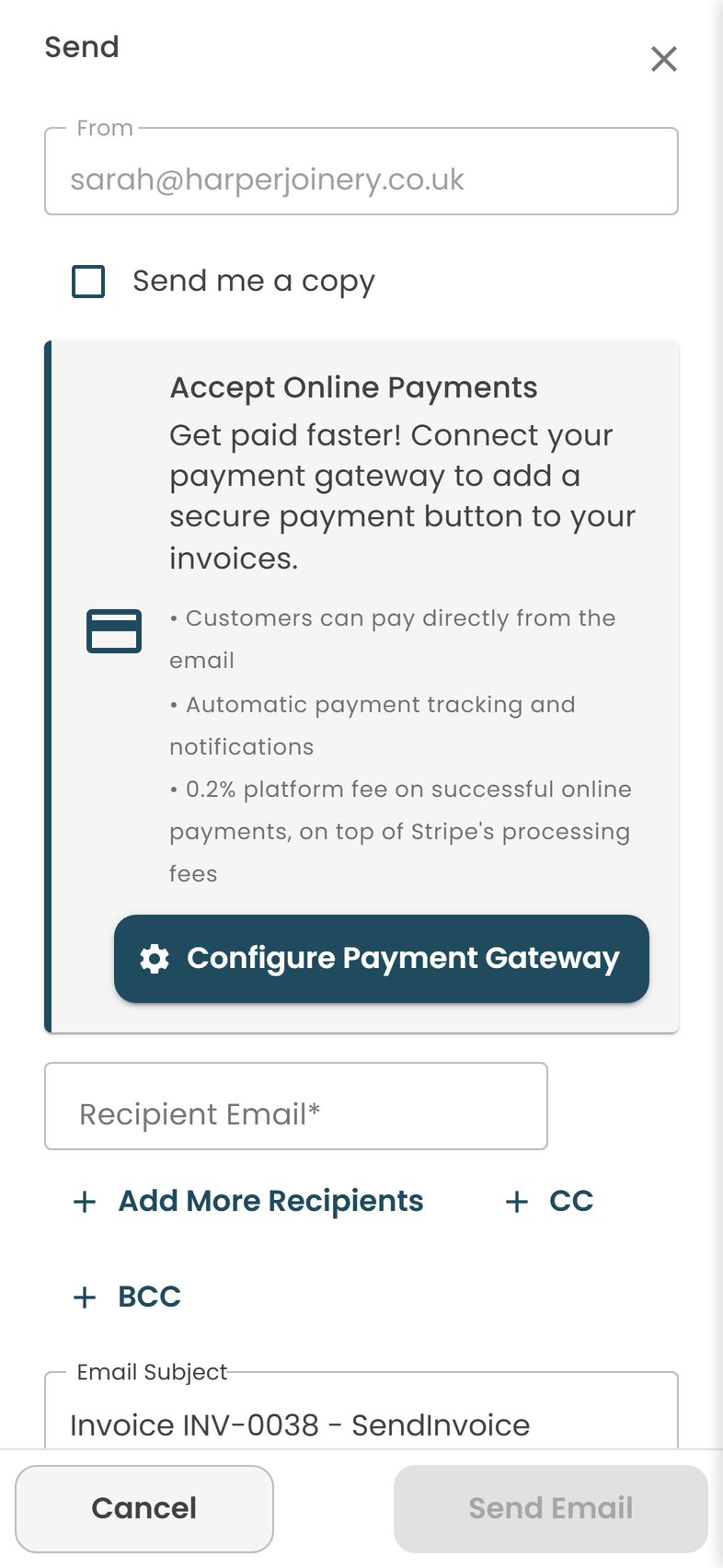
This is the one most tradespeople have not tried, and it changes the job. You build the invoice on your phone, usually from the quote you already sent, and email it from the customer's kitchen. The email, and the PDF attached to it, carry a Pay button. The customer opens it on their phone, taps Pay, enters their card details once in a Stripe checkout, and the invoice flips to Paid on your screen with a green tick, while you are still packing up.
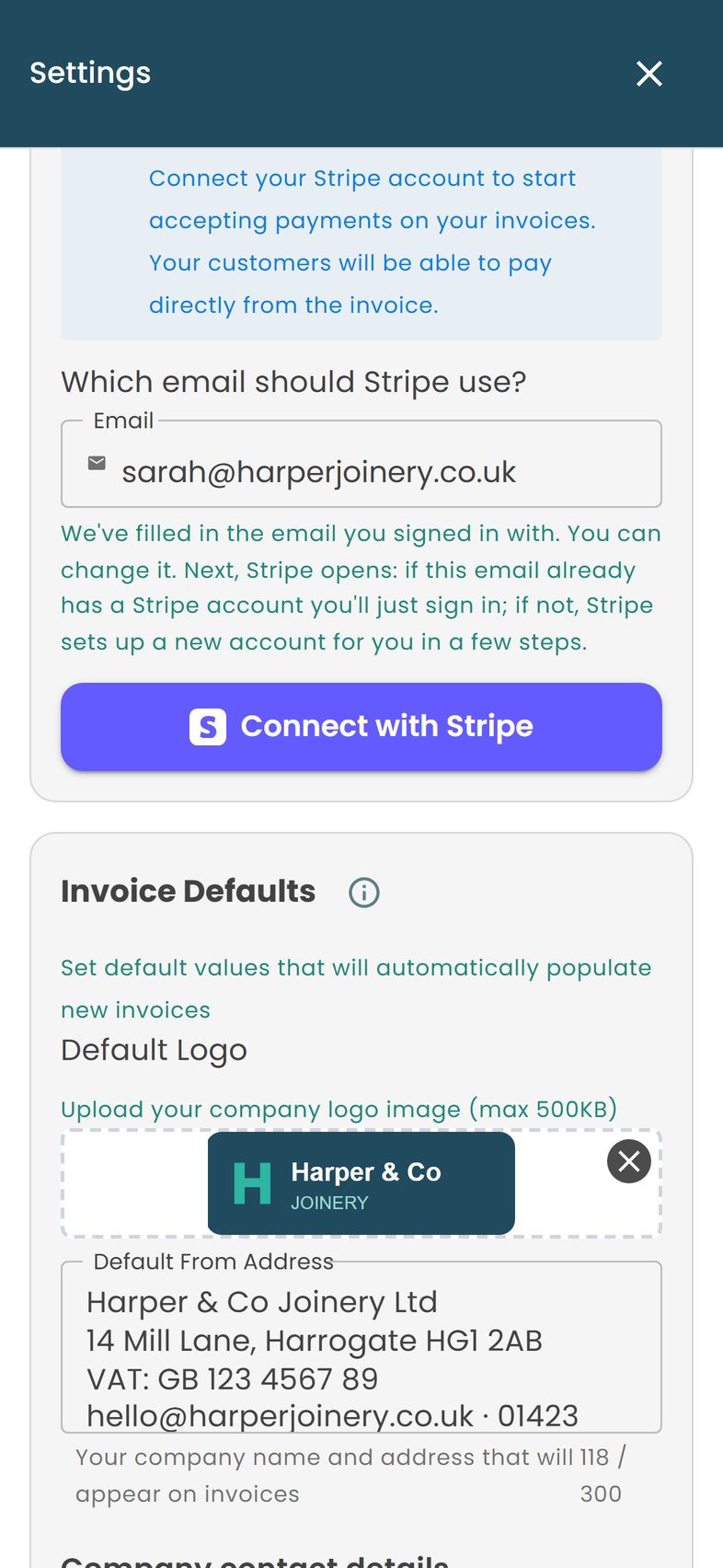
What you need: a free Stripe account connected once in Settings under Payment Gateway, and the £5-a-month plan to send emails and take payments. No hardware, nothing to charge, nothing to leave on the dashboard of the van.
What to say: "I've just emailed the invoice; there's a Pay button in it if you want to do it by card now, or the bank details are on the PDF." Said in the room, with the finished splashback behind you, that line gets paid nine times out of ten.
Option 2: show them on your phone
Some customers, especially older ones, do not want to go and find their phone. Fine. Send the invoice, then open the email on your own phone and hand it over: "Tap Pay there, pop your card details in, and it's done." They are entering their own card into a checkout page in front of you, exactly as they would online, and your phone never sees the card number. You get the Paid tick, they get a receipt by email, and nobody has to remember anything tonight.
This is also the answer for emergency and call-out work, where you may be leaving at eleven at night: the post on call-out fees and emergency work goes into payment before you leave on a Saturday.
Option 3: bank transfer, while you are there
Bank transfer is free, and with Faster Payments it usually lands in minutes. The only thing wrong with it is the word "tonight". The fix is to ask for it now: "If you'd rather do a transfer, the details are on the invoice; if you do it now I can see it land before I go." Watch them do it, see the notification, mark the invoice paid from your phone. If they genuinely cannot do it now, say thank you, and know that the email with the Pay button is sitting there for the moment they can.
Bank details on the invoice should be your business account, and the reference should be the invoice number. The post on invoicing from your phone covers setting bank details once so they appear on every document.
Option 4: cash, with a receipt
Cash is legal, instant, and still common for small jobs. Issue a numbered receipt on the spot, record it the same day and declare it like any other income. Receipts for cash jobs and HMRC records covers the habit that keeps cash clean.
What about a card reader
Card readers are good at what they are for: lots of small in-person sales, a market stall, a café. A tradesperson takes one or two payments a day, often for hundreds of pounds, often from someone who is not standing next to them when the invoice goes out. For that, a reader is a thing to charge, carry, pair with your phone and not lose, and it still only works if the customer is in the room with their card.
The payment link works whether they are in the room or not. It is the same button in the email they can tap on Friday afternoon in the kitchen or on Saturday morning in bed. And it marks the invoice paid for you, so your list of who owes what stays true without a spreadsheet.
Fees compared, honestly
Every way of taking a card payment costs something; the question is how much and what you get for it. These are the figures at the time of writing; providers change their pricing, so check their own pages before deciding.
| Method | What it costs | On Ayesha's £420 | Notes |
|---|---|---|---|
| SendInvoice Pay button (Stripe) | 0.2% platform fee plus Stripe's card fee, around 1.5% + 20p for standard UK cards | About £7.30 | No hardware; works remotely; invoice marked paid automatically; £5/month plan covers sending and reminders too |
| Typical card reader | Around 1.7% per transaction plus the reader (roughly £19 to £99) | About £7.15 plus the reader | Customer must be present with the card; you record the payment against the invoice yourself |
| Invoice tools charging a percentage | Square around 2.5% on invoice payments; PayPal around 2.9% plus a fixed fee | About £10.50 to £12.50 | Percentage pricing grows with your invoice sizes |
| Bank transfer | Free | £0 | Depends on the customer doing it; you mark it paid by hand |
| Cash | Free | £0 | Receipt, log, bank it |
Per transaction, a reader and a payment link cost about the same. The difference is everything around the transaction: no hardware, payment from anywhere, and an invoice that marks itself paid. Stripe charges more for some cards (international and some corporate cards, for example), so a few payments will cost a little more than the figure above; the Stripe pricing page has the detail. And remember that surcharging consumers for paying by card has been banned in the UK since 2018, so the fee is yours to absorb, the same as a shop does. Build it into the price.
Worked example: Ayesha's invoice, paid in the kitchen
Ayesha is a sole trader and not VAT registered, so no VAT appears. The quote was accepted by text; the invoice was created from it on her phone, and the customer-supplied tiles are noted so there is no confusion about what was in the price.
Invoice INV-0089 from Ayesha Khan Tiling to Mr D Lewis, 31 Hawthorn Close. Created from QUO-0077. Due on completion, 7 November. Pay by card using the Pay button, or by bank transfer (details below).
| Description | Qty | Unit price | Amount |
|---|---|---|---|
| Labour: kitchen splashback, herringbone pattern, 3.2 m2, prepare, tile, grout and seal | 1 | £340.00 | £340.00 |
| Materials: flexible adhesive, grout (Anthracite), silicone, tile trim | 1 | £80.00 | £80.00 |
| Tiles supplied by customer | 1 | £0.00 | £0.00 |
| Total due (no VAT; not VAT registered) | £420.00 |
Paid by card 7 November, 16:12. Thank you.
The card fee on this invoice, 0.2% to the platform and Stripe's own fee, comes to roughly £7.30 at the time of writing, so Ayesha receives about £412.70. Against that, the alternative was a fortnight of texts about £420, and the small sour feeling that goes with them. She would pay £7.30 to skip that every single time, which is the right way to think about it: the fee buys certainty, not just convenience.
The routine that makes it stick
Getting paid on the day is a habit more than a feature. The habit, in order:
- Put it on the quote. "Payment due on completion by card link or bank transfer." A customer who agreed to that is not surprised when you ask. Writing a trade quote covers the rest of the wording.
- Walk them round the finished work. Two minutes. It is the moment they are most pleased and most ready to pay.
- Create the invoice from the quote on your phone, so the figures match what they agreed and the two documents stay linked.
- Send it while you are there, and say the line: Pay button in the email, or transfer now.
- Watch for the green tick. If it comes, say thank you and go. If it does not, you have a dated invoice with a Pay button in it and reminders that go out on their own.
Bigger jobs follow the same pattern with more steps: a deposit on a proforma, stage invoices, and a final invoice on completion. Deposits and staged payments works through it. For a tiler specifically, how to invoice as a tiler covers per-square-metre pricing and customer-supplied tiles.
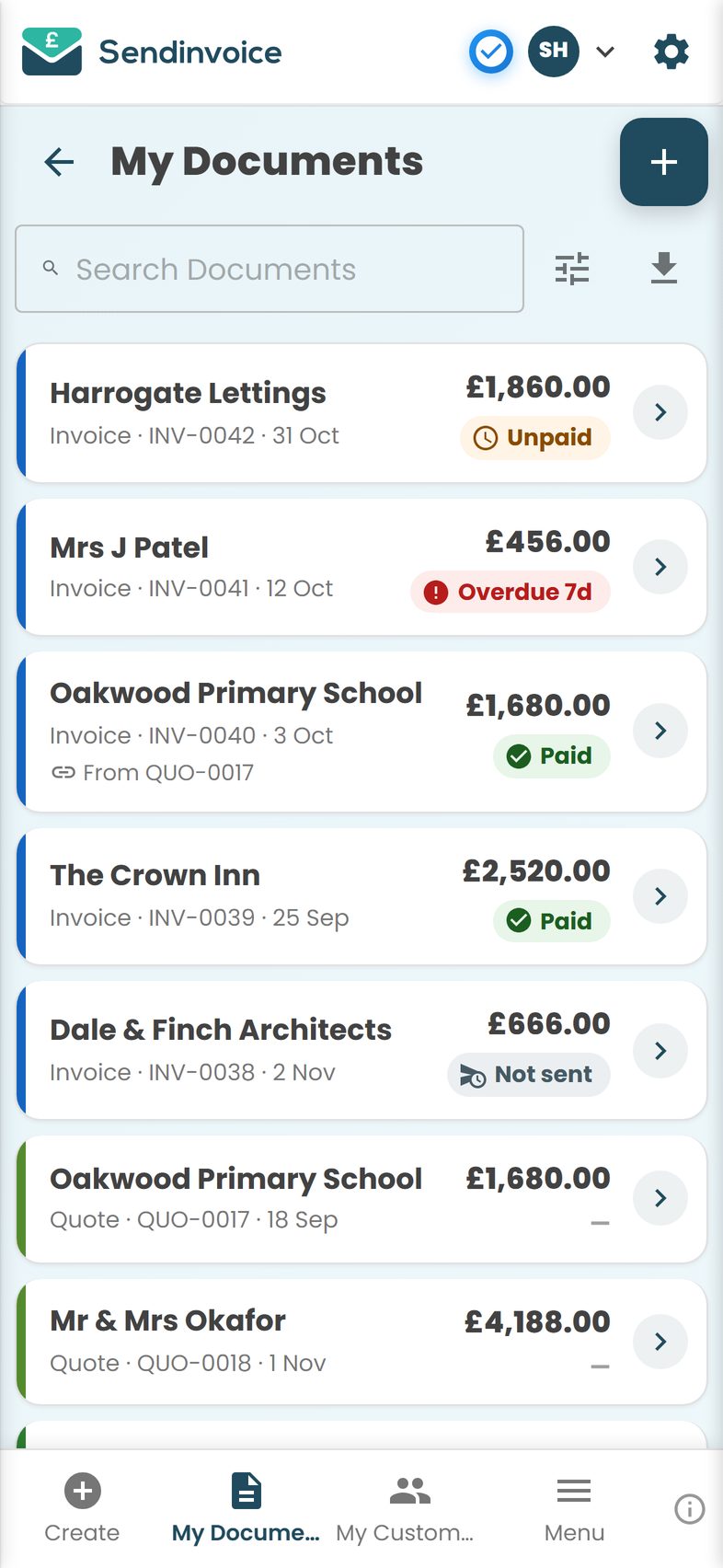
Ayesha's next splashback, the following Tuesday, went like this: finished at half three, walked the customer round, sent the invoice from the kitchen, said the line. The customer tapped Pay on her own phone while asking whether Ayesha could do the bathroom in January. Paid at 15:41. Ayesha was home by four, and the bathroom is booked.
Do this in SendInvoice
Connect Stripe once, send the invoice from the customer's kitchen with a Pay button in the email, and watch it flip to Paid before you leave; bank transfer and cash can be marked paid by hand. Free to create and preview; £5 a month to send, remind and take card payments, plus 0.2% and Stripe's fee on card payments.
Create a free invoice See the £5/month planFrequently asked questions
Do I need a card reader to take card payments as a tradesperson?
No. A payment link in the invoice email does the same job without hardware: the customer taps Pay on their phone, enters their card, and the invoice is marked paid. A reader is only worth carrying if you do many small in-person sales a day. For a trade job with one payment at the end, the link is simpler and nothing can be left in the van.
What does it cost to take a card payment through an invoice link?
With SendInvoice, a 0.2% platform fee on successful online payments plus Stripe's own card fee, which for standard UK cards is around 1.5% plus 20p at the time of writing; some cards cost more, so check Stripe's pricing. On a £420 invoice that is roughly £7 in total. Card readers typically charge around 1.7% per tap plus the cost of the reader, so the totals are similar.
Is bank transfer better than card for tradespeople?
Bank transfer is free and usually arrives in minutes, so it is excellent when the customer does it while you are there. Its weakness is that it depends on them: the transfer they promise to do tonight is the one you chase for a fortnight. Offer both, ask for the transfer before you leave, and keep the card link as the no-excuses option.
How do I get the customer to pay before I leave?
Say so on the quote (payment due on completion), walk them round the finished work, then send the invoice from your phone while you are standing there and say the Pay button is in the email. Most people pay in the next two minutes when it is that easy and you are in the room. The ones who do not have told you something useful.
When does card money reach my bank account?
The card payment goes through Stripe, which pays out to the bank account you connected on its own schedule, typically a few working days after the payment at the time of writing. The invoice shows as paid immediately, so you know the money is on its way. Bank transfers and cash are in your hands sooner, which is one reason to keep offering them.
Can I add a surcharge for paying by card?
No. Surcharges for paying by consumer debit or credit card have been banned in the UK since 2018, so you cannot add a percentage for card. Treat the fee as a cost of doing business, like fuel, and build it into your prices the way every shop does. A few pounds on a job is cheap compared with chasing a late transfer.