You did not become a plumber to do paperwork. Yet every job ends the same way: a scrap of paper, a promise to "send the invoice tonight", and a week of wondering whether the money is coming. Here is what a Tuesday looks like when the quote, the invoice and the payment all happen from the phone in your pocket.
A day in the life
Meet Dan. He is a plumber in Leeds, works alone, drives a van with a dent he keeps meaning to fix, and until recently invoiced from a notebook with a cracked spine. His wife did the typing on a Sunday. Neither of them enjoyed it.
8:10am, a kitchen in Headingley
A leaking stop tap, a tired boiler and a customer who wants to know "roughly what we're looking at" before she says yes. Dan used to say a number out loud and hope she remembered it kindly. Now he opens SendInvoice on his phone, taps Quote, and types three lines while the kettle boils: replace stop tap £85, service boiler £95, parts £42. His business details are already there from Settings. His logo is on it. It looks like it came from a company with an office.
He sends it before he has finished his tea. The quote is numbered QUO-0017, the customer has a PDF in her inbox, and Dan has not written anything on his hand.
1:30pm, the van outside a Greggs
She said yes by text at 11. The job is done, the stop tap no longer weeps, and the old Dan would now be thinking about doing the invoice "later". Later meant Sunday, which meant ten days before anyone was asked for money.
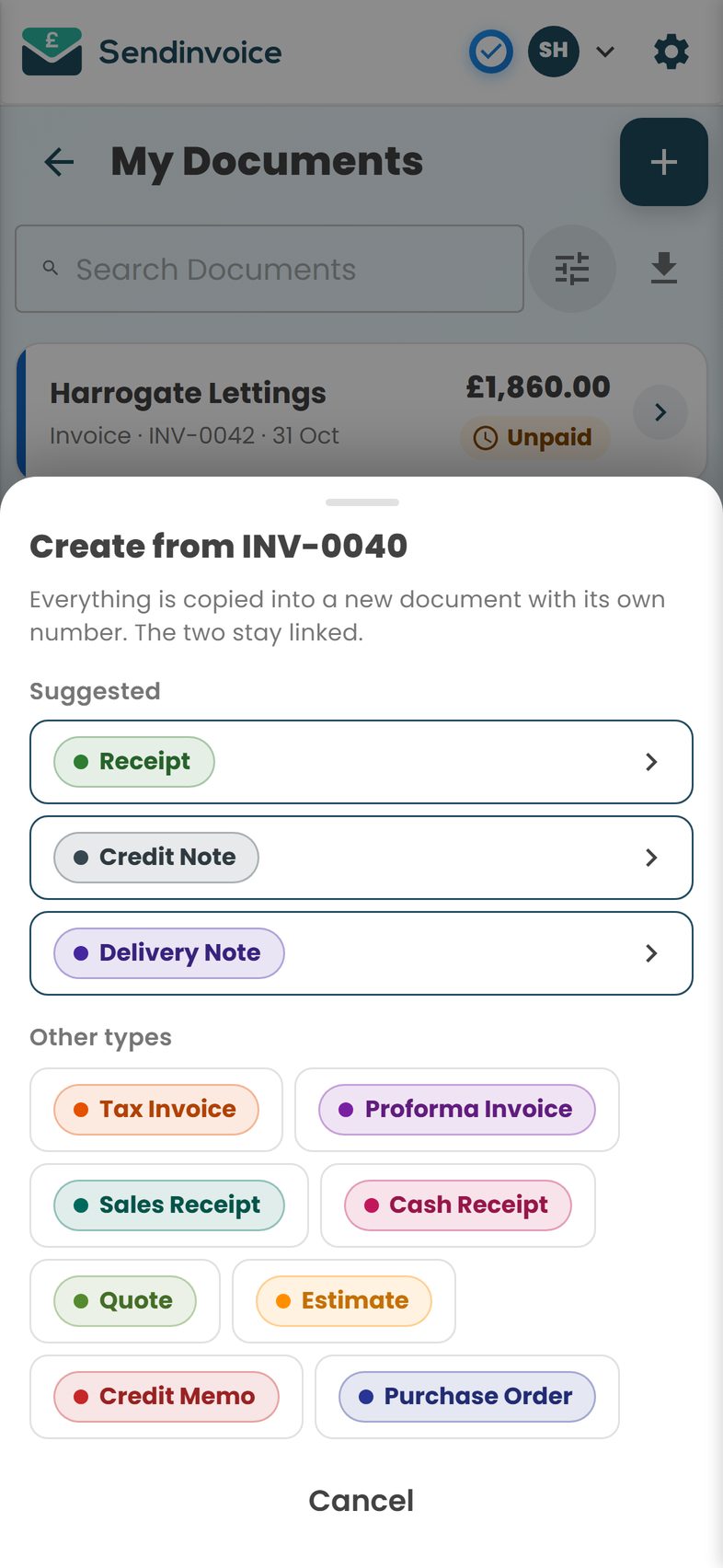
Instead he opens the quote and taps Create from this. SendInvoice offers Invoice as the first suggestion. One tap and everything carries over: the customer, the address, the three lines and the total. The invoice gets its own number, INV-0042, and a small line that says "From QUO-0017" so the two stay linked. He checks the total, adds "thanks for the brew" to the notes, and that is the document done.
1:32pm, still in the van
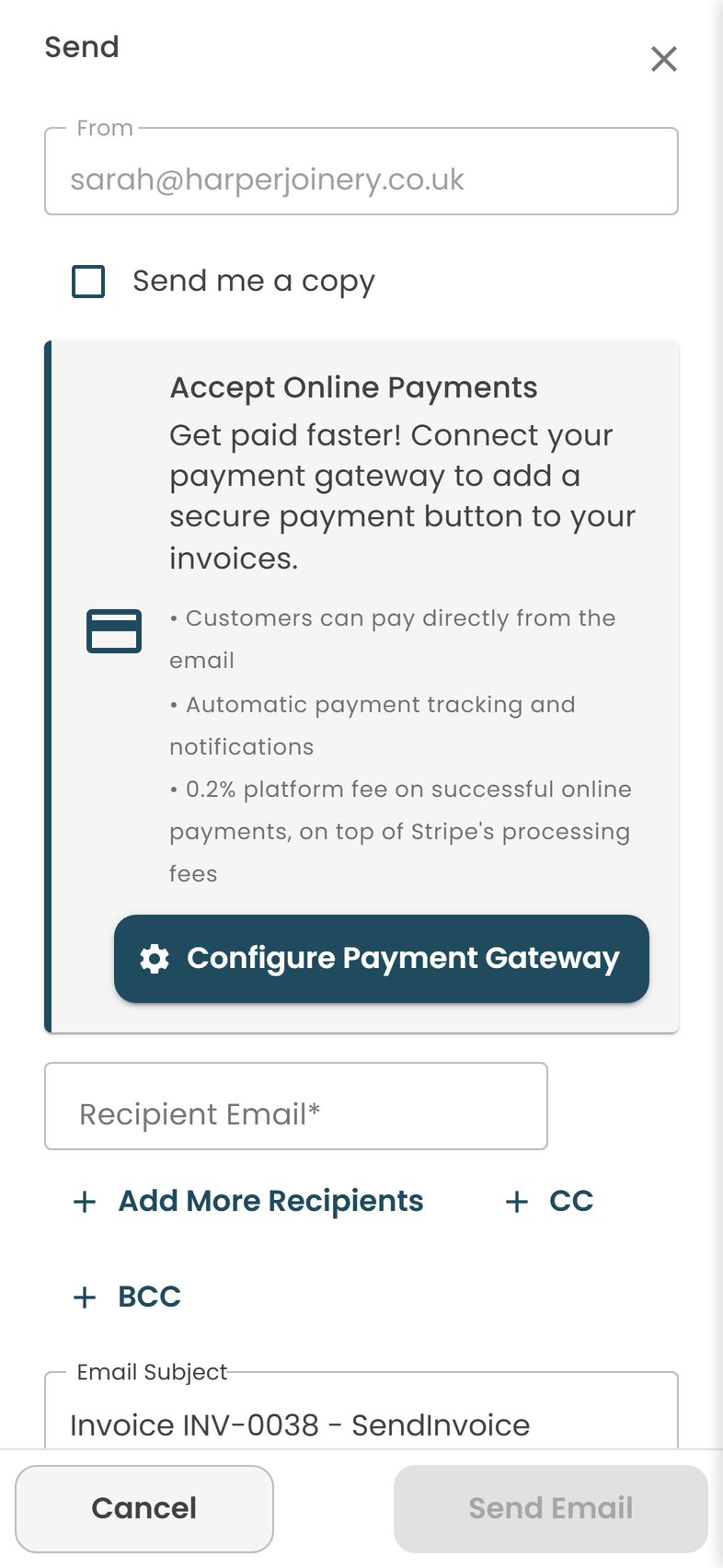
Send is a dialog, not a project. The customer's email is already filled in from the quote. The PDF is attached. There is a Pay button in the email, because Dan connected Stripe in Settings on a quiet evening in about four minutes. He taps Send and starts the engine.
5:45pm, home, boots off
He checks My Documents while the dinner is on. INV-0042 has a green tick. She paid by card at 2:15pm, probably while the kettle was still warm. No "did you get my invoice?", no chasing, no Sunday typing. One from a landlord is turning red, so Dan taps it and sends a friendly reminder. It takes less time than reading this sentence.
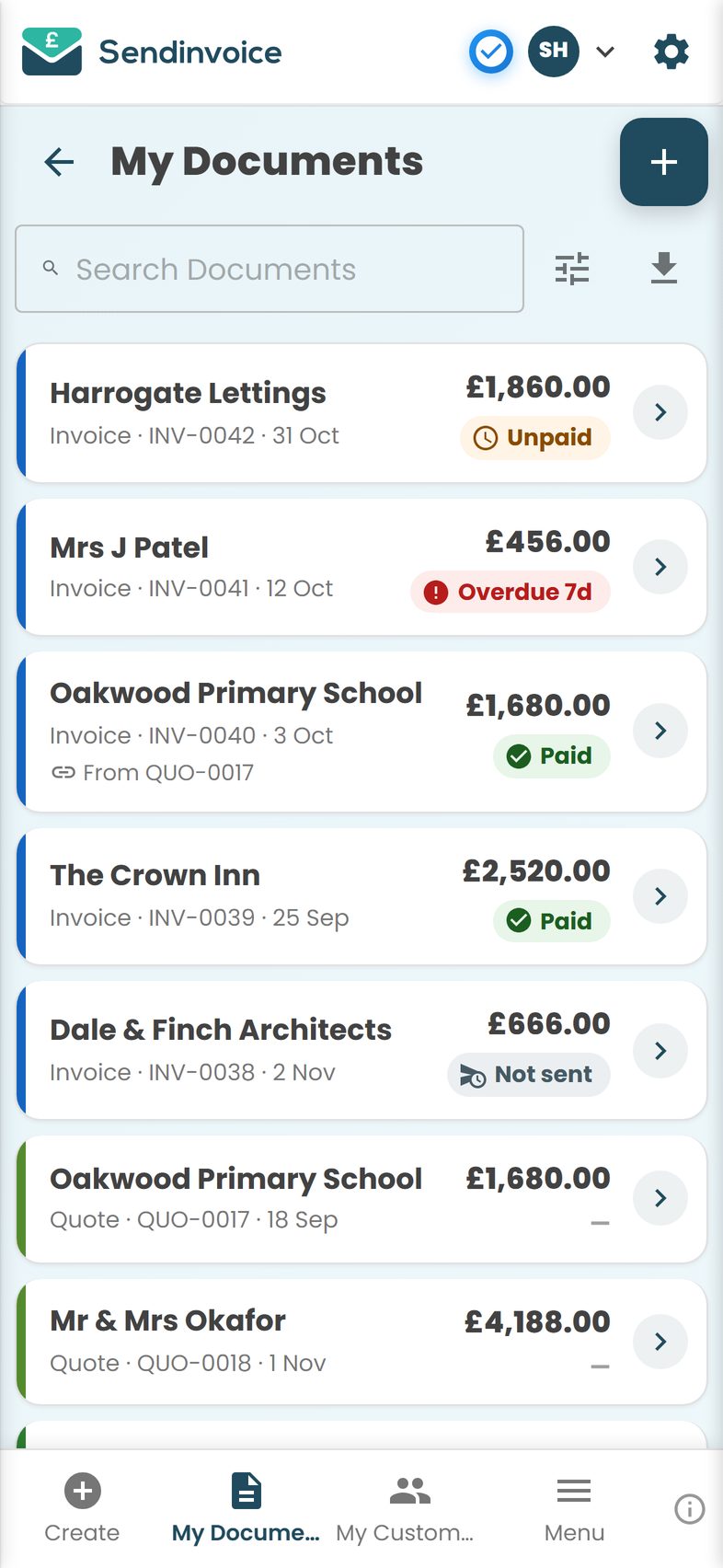
That is the whole trick. Not more software. Just doing the invoice at the moment the job ends, from the thing already in your hand.
What you get
- Quotes and estimates on site. Create a quote or estimate in a few taps with your details filled in automatically.
- Quote to invoice in one tap. Create from this turns QUO-0017 into INV-0042 with a new number and a link back to the quote.
- Pay by card from the email. A Pay button in every invoice email and PDF, powered by Stripe. The invoice flips to Paid on its own.
- Mark bank transfers and cash as paid by hand. One tap on the action sheet.
- Paid, Unpaid, Overdue, Part paid. My Documents shows the state of every job without a spreadsheet.
- Escalating reminders. Friendly first, firmer later, sent from your phone.
- Saved items. "Call-out charge", "Service boiler", "Hourly rate" saved once and dropped in with a tap.
- Receipts and credit notes from the invoice. A receipt for the customer who pays cash, a credit note if you overcharged, both created from the original.
- Running numbers. INV-0001, INV-0002 and so on, per document type, so your records are tidy when the accountant asks.
- Bank details and tax fields. Show VAT per line if you are registered; leave it off cleanly if you are not.
What it costs
The free preview costs nothing and needs no card. You can create, customise, download and print quotes and invoices, with a preview watermark. It is a fair way to find out whether you like it.
Sending by email, the Pay button, reminders, payment tracking and the My Documents and My Customers lists are on the Professional plan: £5 a month, cancel any time. Card payments carry a 0.2% platform fee on successful online payments, plus Stripe's own fee. On a £222 boiler job that is about 44p to SendInvoice. Compare that with services that take 2.5% or more of every card payment, which at the time of writing would be over £5 on the same job, and the flat fiver starts to look like what it is: cheaper for anyone sending more than a couple of invoices a month.
Being honest: if you send one invoice a month and are happy to be paid by bank transfer, the free preview with the watermark may be all you need. The £5 earns its keep when you want to stop chasing.
Do this in SendInvoice
Quote on site, turn it into an invoice from the van, and let the customer pay by card before you are home. Your business details are set up once and remembered.
Create a free invoice See the £5/month planFrequently asked questions
Can I really do all of this from my phone?
Yes. SendInvoice runs in the browser on any phone, tablet or desktop, and it was designed phone-first. There is nothing to install, so you can quote, invoice and check who has paid from the van.
I am not VAT registered. Do I still need to show VAT?
No. If you are not VAT registered you must not charge or show VAT. Leave the tax fields empty and your invoice stays correct and simple. If you register later, you can add your VAT number and rates in Settings. Check with your accountant or HMRC if you are unsure about your position.
Does the quote and the invoice stay linked?
Yes. When you create an invoice from a quote, the new document gets its own number and carries a reference such as "From QUO-0017", so you and the customer can see where it came from.
How does the customer pay?
They tap the Pay button in the email or on the PDF and pay by card through Stripe. The invoice flips to Paid automatically. If they pay by bank transfer or cash instead, you mark it paid by hand in one tap.
What does it cost?
The free preview lets you create, customise, download and print documents with a preview watermark. Sending by email, taking card payments, reminders and payment tracking are on the Professional plan at £5/month, cancel any time. Card payments carry a 0.2% platform fee on successful online payments, plus Stripe's own fee.
Can I add a deposit for bigger jobs?
Yes. Send a proforma invoice for the deposit before you order materials, then send the final invoice when the job is done. Both are created in a couple of taps and both show up in My Documents.