A wedding is eighteen months of excitement for the couple and eighteen months of admin for you. The quote, the deposit that holds the date, the balance that is due "before the gallery", the reminder you are dreading sending to people who cried on your shoulder in August. Here is how one booking goes when the paperwork is three taps at each stage.
A day in the life
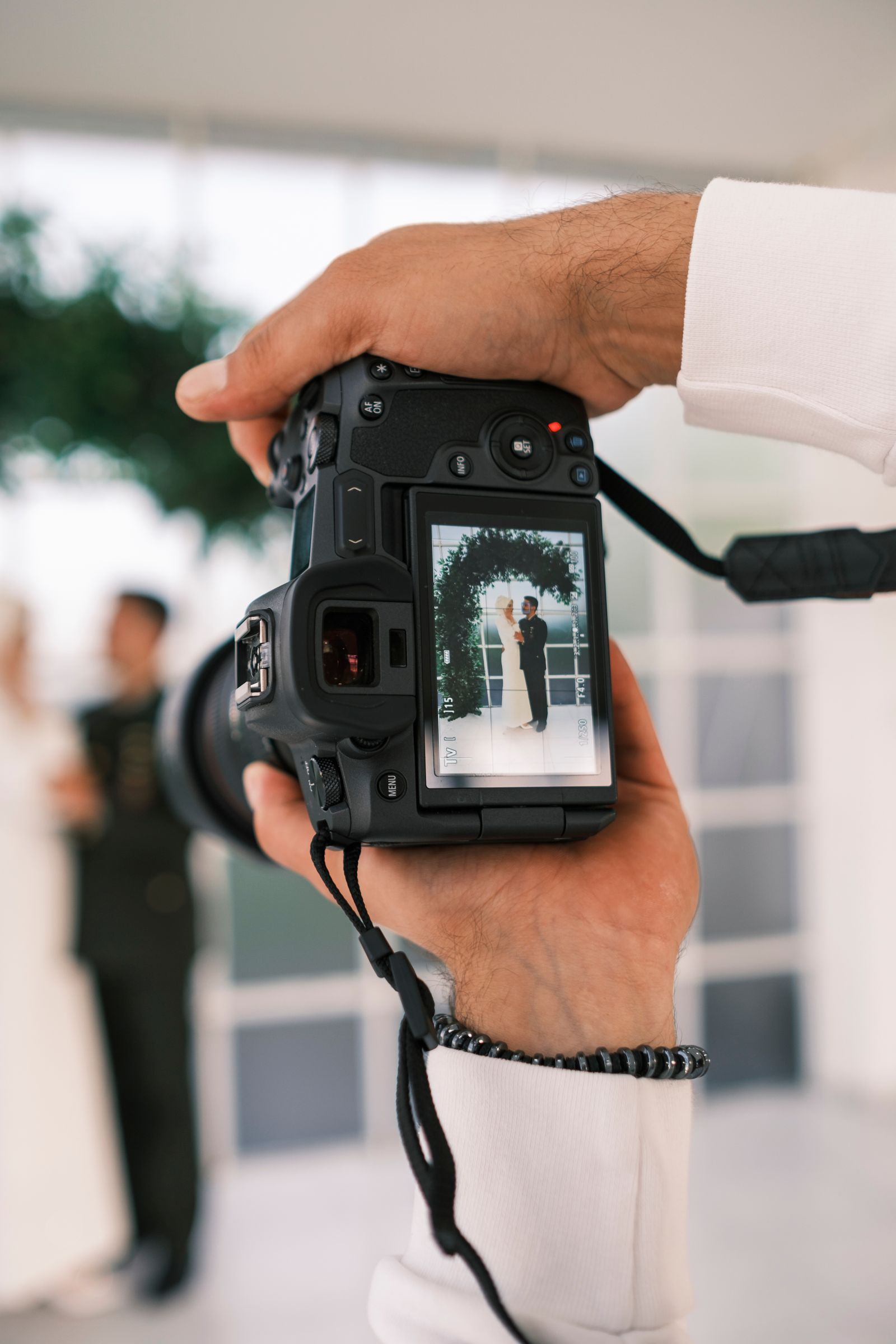
Meet Ellie. Wedding photographer in the Cotswolds, 28 weddings a year, a dog called Pixel and a camera bag that costs more than her car. She loves the couples. She did not love the spreadsheet called "Payments FINAL v3" or the fact that she once nearly lost a date because a deposit email sat in Drafts for a week.
January, 8:30pm, the enquiry
Hannah and Sam want a full-day package for a September wedding at a barn near Chipping Campden. They have asked for "a proper quote" because Sam's dad is paying for half and wants to see it written down. Ellie opens SendInvoice on the sofa. Her studio name, logo and a signature she drew on the phone are already there from Settings. Quote: full-day coverage £2,200, second shooter £450, fine-art album £390. Terms: 25% deposit to secure the date, balance due two weeks before the wedding. QUO-0022, sent at 8:41.
February, 11:15am, the date is held
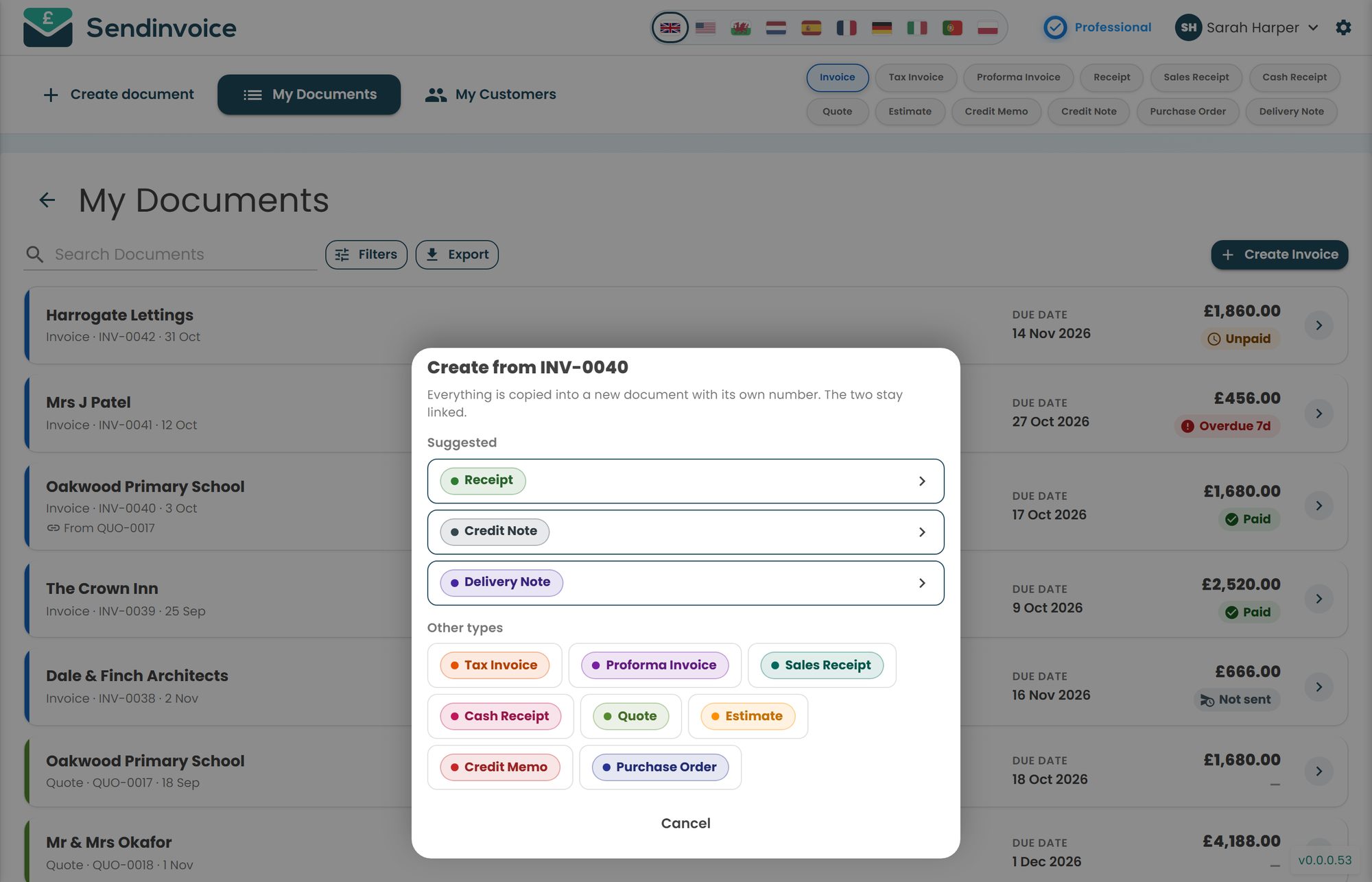
They say yes. The old routine involved typing the package out again as a deposit request, and the new one involves opening the quote on the laptop and tapping Create from this. Proforma invoice is one of the suggested types. The couple's details, the three lines and the total come across; the deposit becomes a single line for £760, with a note that the balance follows in August. New number, "From QUO-0022" printed on it so nobody ever wonders what the £760 was for.
Sam's dad pays it by card from the email that afternoon. The proforma flips to Paid with a green tick, and the date goes in the diary in pen. That tick is the moment the booking becomes real.
August, 7:50am, the balance
Three weeks out. The old Ellie would be composing a careful email, worrying about tone. Instead she opens the quote on her phone, taps the action sheet, Create from this, Invoice. The balance is £2,280, due 1 September. She sends it with the Pay button while Pixel waits by the door.
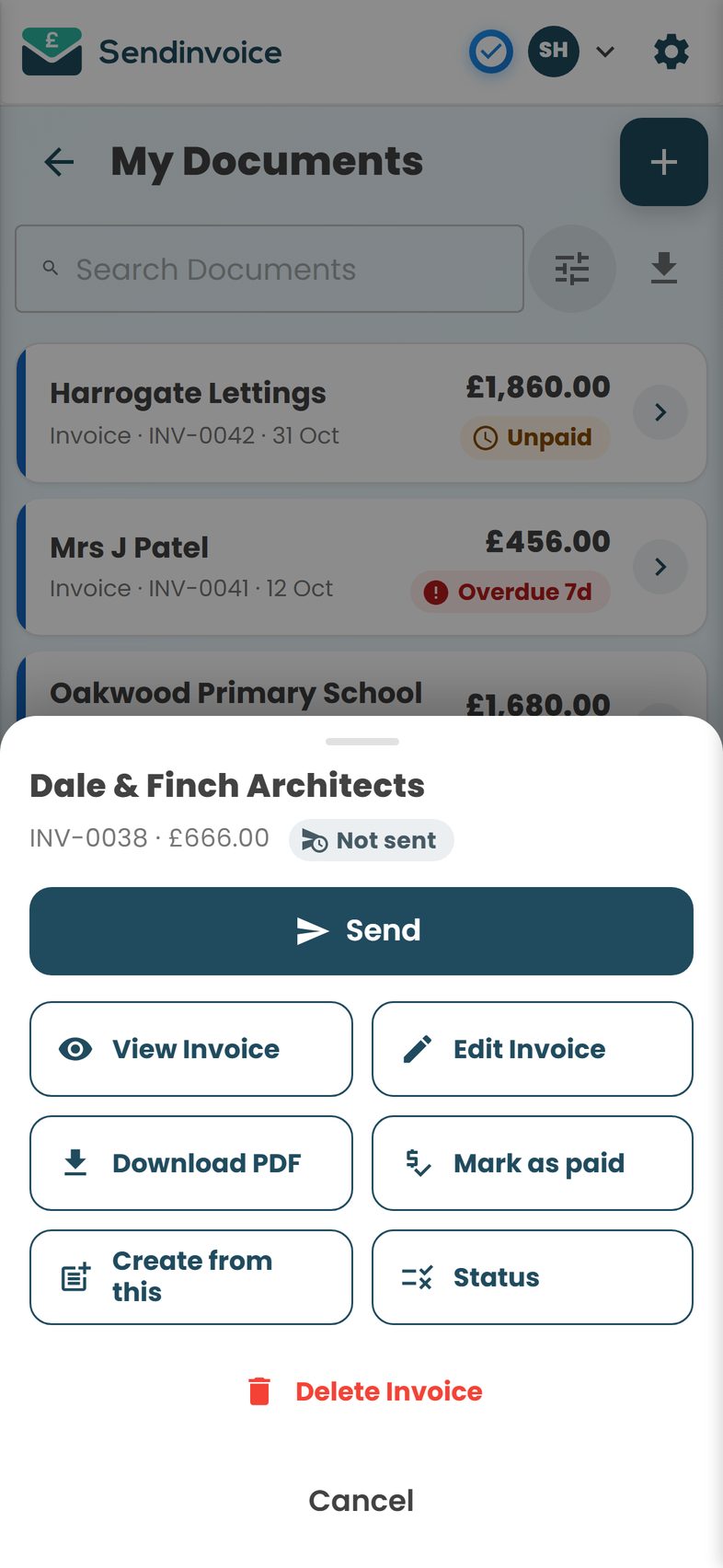
A week before the due date nothing has arrived. She does not draft anything. She taps the invoice and sends the friendly reminder, which goes out with her branding, the PDF and the Pay button. Hannah replies within the hour: "so sorry, wedding brain, paying now". Card payment, green tick, and Ellie has not had to be the person who asks twice.
October, 10:00pm, the gallery goes live
Six hundred edited photos, the album on order, and one last tap: Create from this, Receipt, for the couple's wedding folder. Then she opens My Documents and scrolls the year. Twenty-eight weddings, each a quote, a proforma and an invoice, nearly all green. Two balances for next spring are still Unpaid, as they should be. One from a corporate shoot is Overdue and red, and she sends the firmer reminder without thinking about it.
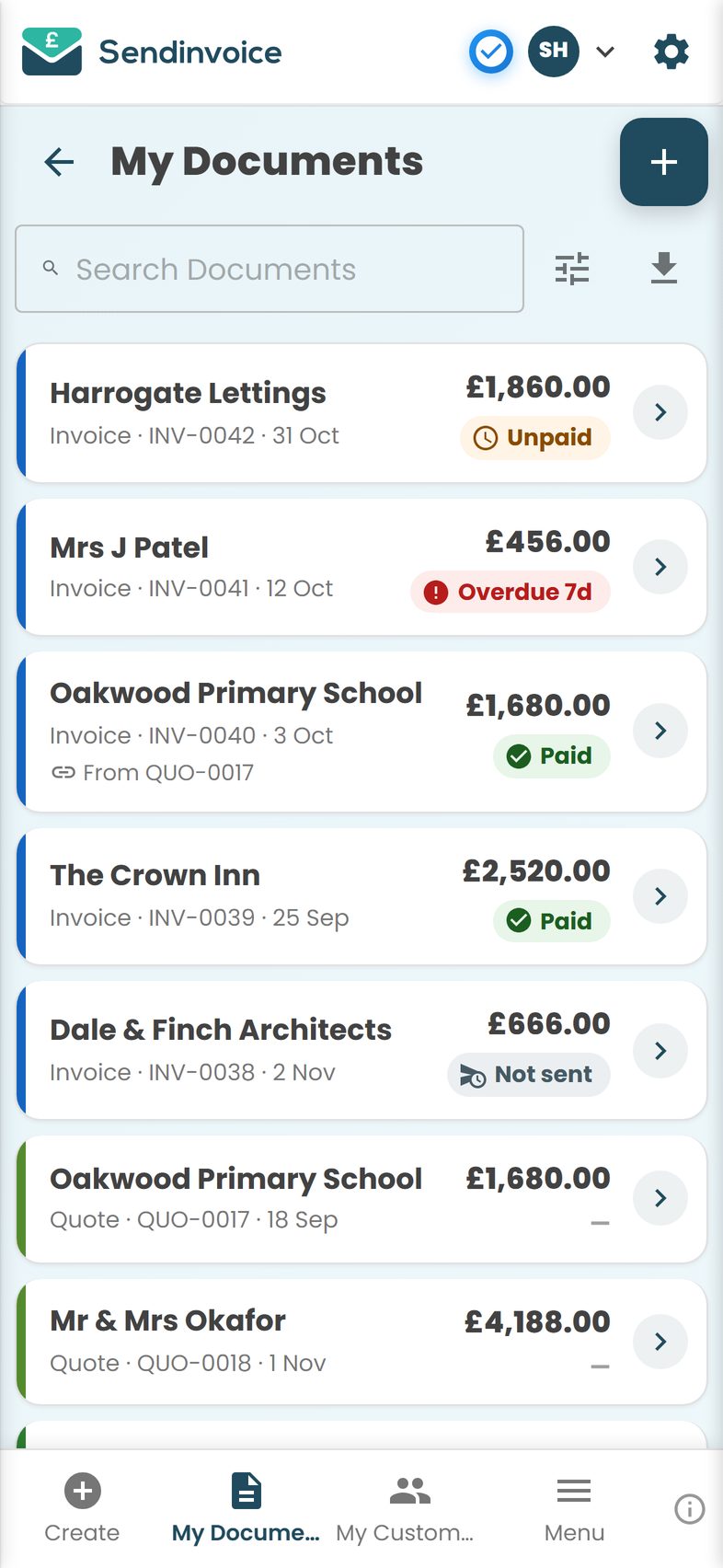
"Payments FINAL v3" has not been opened since March.
What you get
- Quotes that become deposits and balances. A quote for the package, a proforma for the deposit, an invoice for the balance, each created from the last and linked.
- Pay by card from the email. Stripe-powered Pay button in every email and PDF; the document flips to Paid on its own.
- Mark as paid by hand. For bank transfers and the cash from the couple's parents.
- Escalating reminders. Friendly first, firmer later, branded as you, so you never have to be the one who asks twice.
- Receipts in one tap. A receipt from the paid invoice for the wedding folder.
- Paid, Unpaid, Overdue, Part paid. The whole season at a glance in My Documents, with filters by period and status.
- Saved items. "Full-day coverage", "Second shooter", "Fine-art album" saved once, added in a tap.
- Your look. 100+ templates, your logo, a drawn or uploaded signature; it looks like your brand, not an accounts department.
- My Customers. Every couple and every venue, suggested as you type.
- Credit notes. Album upgrade cancelled? A credit note from the invoice rather than an edited PDF.
What it costs
The free preview is £0 and asks for no card. You can create, customise, download and print quotes, proformas and invoices with a preview watermark. It is a good way to see your branding on a document before you commit to anything.
Sending by email, the Pay button, reminders, Paid/Unpaid tracking, My Documents and My Customers, saved items and premium templates are on the Professional plan at £5 a month, cancel any time. Card payments carry a 0.2% platform fee on successful online payments plus Stripe's own fee: £4.56 on a £2,280 balance. Bank transfers cost nothing extra.
Wedding invoices are large and few, which is exactly where a flat fee wins. At the time of writing, services taking 2.5% to 2.9% per card payment would cost £57 or more on that same balance. What SendInvoice does not do is contracts, galleries, scheduling or bookkeeping. It handles the money paperwork and leaves the rest to the tools you already have.
Do this in SendInvoice
Quote the package, turn it into the deposit proforma when they say yes, and invoice the balance from your phone three weeks out. Let the reminders do the chasing.
Create a free invoice See the £5/month planFrequently asked questions
What is the best way to take a booking deposit?
Send a proforma invoice for the deposit, created from the quote so the package details carry over. It includes a Pay button so the couple can pay by card. When they do, the proforma flips to Paid and the date is yours.
Can I invoice the balance before I deliver the gallery?
Yes. Create the balance invoice from the original quote or proforma; the new document gets its own number and stays linked. Many photographers send it the week after the wedding with a note that the gallery goes live on payment.
Can couples pay by card?
Yes. They tap Pay in the email or on the PDF and pay through Stripe. You can also be paid by bank transfer and mark the invoice paid by hand.
I am not VAT registered. Do I show VAT?
No. If you are not VAT registered you must not charge or show VAT. Leave the tax fields empty. If you register later, add your VAT number and rates in Settings. Check with your accountant or HMRC if you are unsure where you stand.
Can I send a receipt once the balance is paid?
Yes. From the paid invoice, tap Create from this and choose Receipt. The details carry over and it goes out with your branding. Couples like having one for the wedding folder.
Does it do contracts or galleries?
No. SendInvoice is for quotes, invoices, receipts and the other documents around getting paid. Your contract and gallery tools stay as they are; SendInvoice handles the money paperwork alongside them.