The work is good. The invoice is an afterthought, knocked up in a template someone emailed you in 2019, with "INVOICE" in a font you would never use for a client. It gets paid eventually. Eventually is the problem. Here is a week where the invoice is the last thing a client sees, and it looks like you made it.
A day in the life
Meet Tom. Freelance graphic designer, works from the back bedroom in Bristol, three regular UK clients and a growing handful in Germany and the Netherlands found through a friend of a friend. He is excellent at logos and terrible at asking for money. An invoice would sit in Drafts for a week because sending it felt like asking a favour.
Monday, 9:15am, the desk
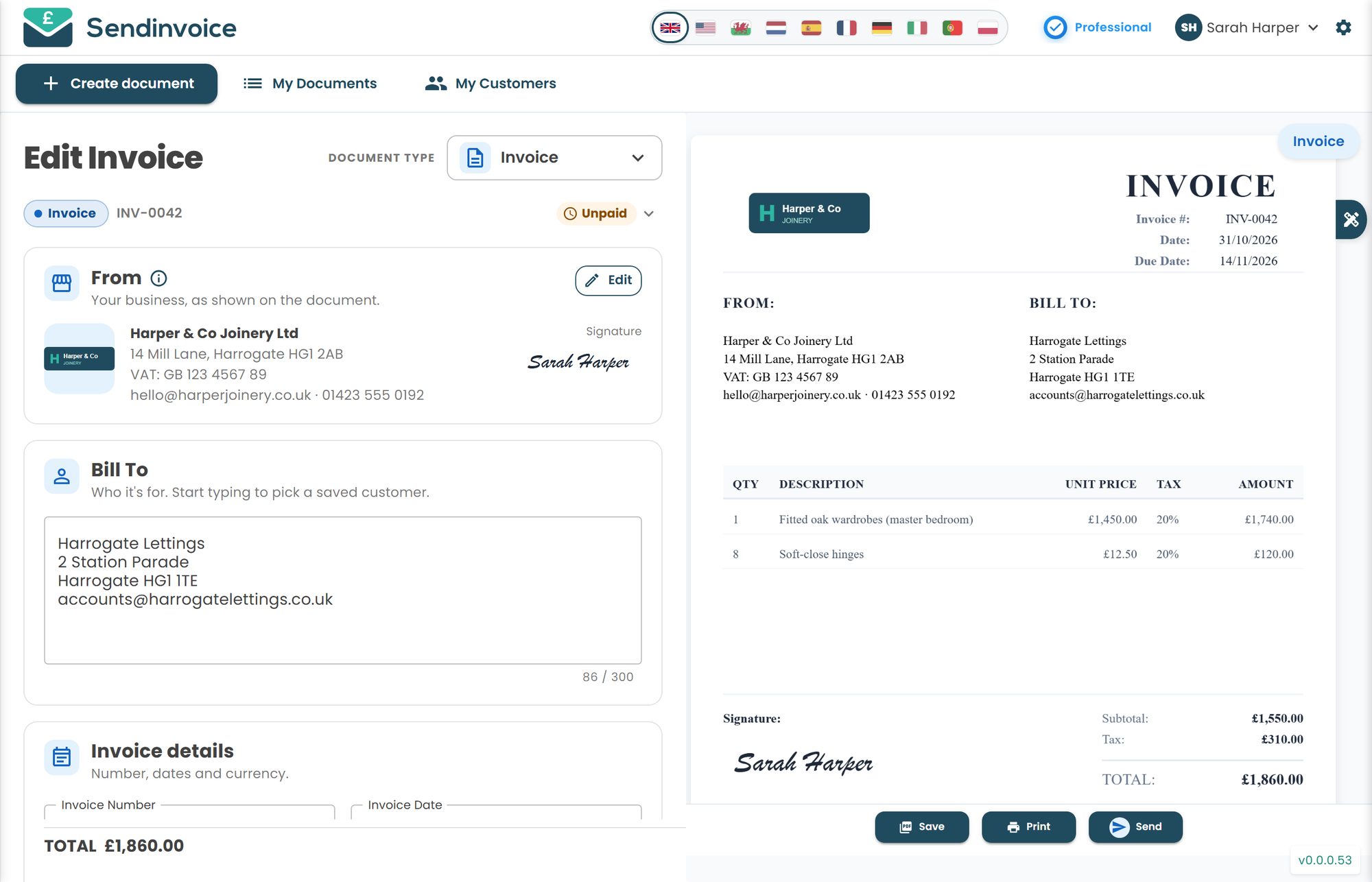
A brand identity for a café in Bath is finished and signed off. Tom opens SendInvoice on the laptop, picks Invoice from the document type picker and the page is already half done: his studio name, address, logo and the signature he drew on the phone with a finger, all pulled in from Settings. He types "Bris" in Bill To and the café comes up with its email. Three lines: logo design £900, stationery suite £350, brand guidelines PDF £250. Terms: 14 days, in his own words, with a polite line about late payment interest that he copied from the Late Payment Act once and never had to use.
The live preview on the right updates as he types. It looks like a document from a studio, not a spreadsheet with ambitions. It is the last piece of your work the client sees.
Tuesday, 2:00pm, a client in Hamburg
Tom's German client wants to pay a 40% deposit before he starts their packaging project, and they want the paperwork in euros and, ideally, in German, because their bookkeeper is not interested in learning English for a Bristol designer.
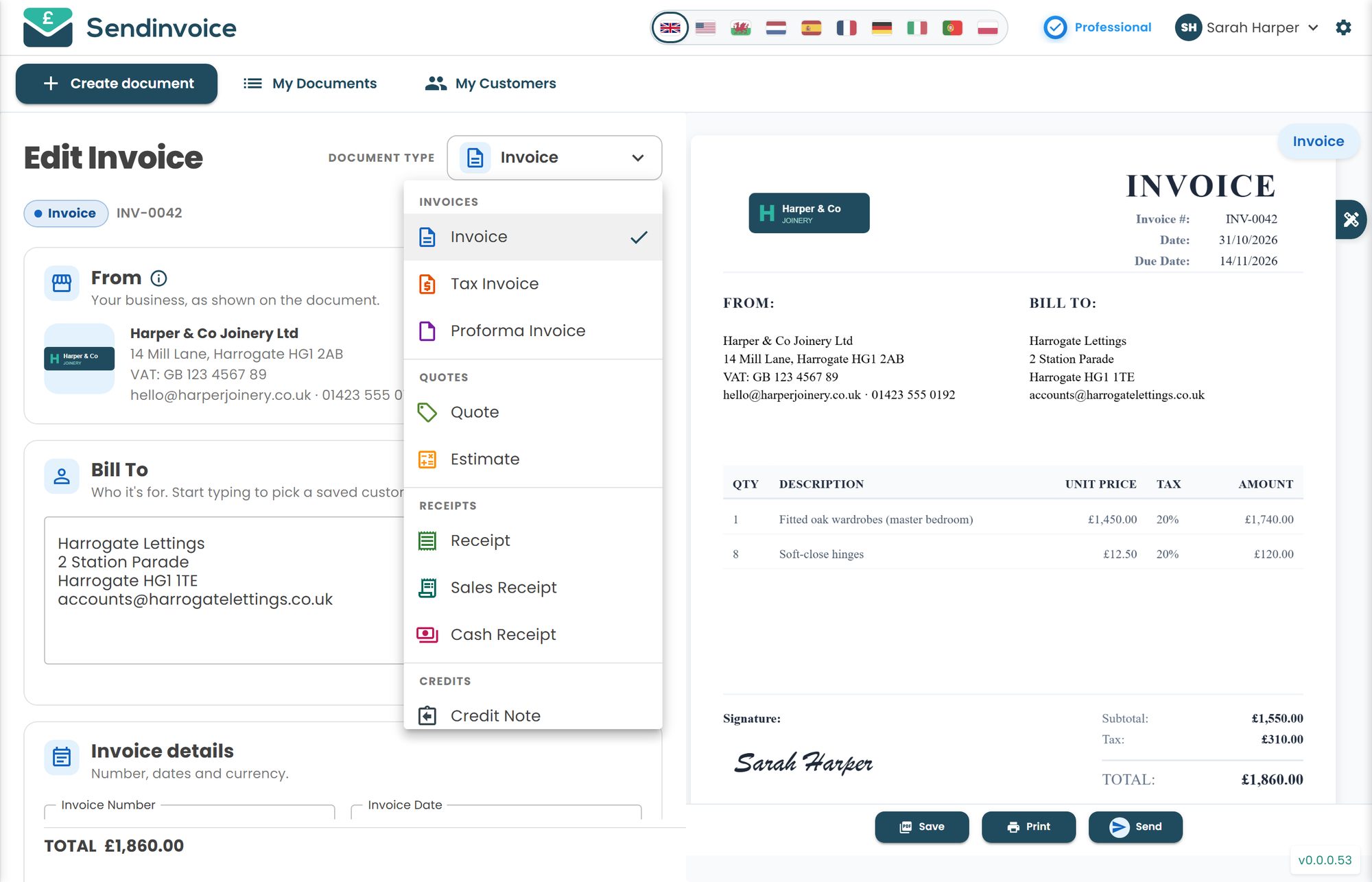
He switches the interface language to German, picks Proforma invoice from the picker (it sits under Invoices, next to Tax invoice) and sets the currency on the document to EUR. His descriptions he writes himself; the labels, the headings and the email wrapper follow the language. €1,400 deposit, due on receipt, Pay button included. The bookkeeper in Hamburg pays by card on Wednesday morning.
Thursday, 7:30pm, the sofa
The café invoice went out Monday. Tom, out of habit, braces for the usual two-week wait. Instead his phone buzzes: paid, £1,500, by card, from the Pay button in the email. He did not have to send a "just checking you received this" message. The relief is out of proportion to the event, and he enjoys it anyway.
One older invoice to a marketing agency is a week overdue. He opens it on the phone, taps Send, and chooses the friendly reminder. It goes out with his branding, his reply-to address and a PDF attached. If it is still unpaid next week, there is a firmer one. He does not have to write either; the awkwardness was always in the writing.
What you get
- Invoices that look like your work. 100+ templates, your logo, a drawn or typed signature, premium templates on the paid plan.
- Your details filled in once. Studio name, address, bank details and terms live in Settings and appear on every document.
- Multi-currency. A default currency plus 150+ others per document, and a currency filter in My Documents.
- 10 interface languages. English (UK/US), Welsh, German, Spanish, French, Italian, Dutch, Polish and Portuguese.
- Deposits with a proforma. A proforma invoice for the deposit, a normal invoice for the balance, both with a Pay button.
- Pay by card from the email. Stripe-powered Pay button; the invoice flips to Paid automatically.
- CC, BCC and reply-to. Copy in the client's accounts team, make replies land in your inbox.
- Escalating reminders. Friendly first, firmer later, sent from your phone.
- Quotes that become invoices. Send a quote for a project, then create the invoice from it with one tap, linked and renumbered.
- Credit notes done properly. Scope changed after you invoiced? Create a credit note from the invoice instead of editing history.
What it costs
The free preview is £0, no card required. You can create, customise, download and print documents, with a preview watermark. If you only want to see what your invoice could look like, start there.
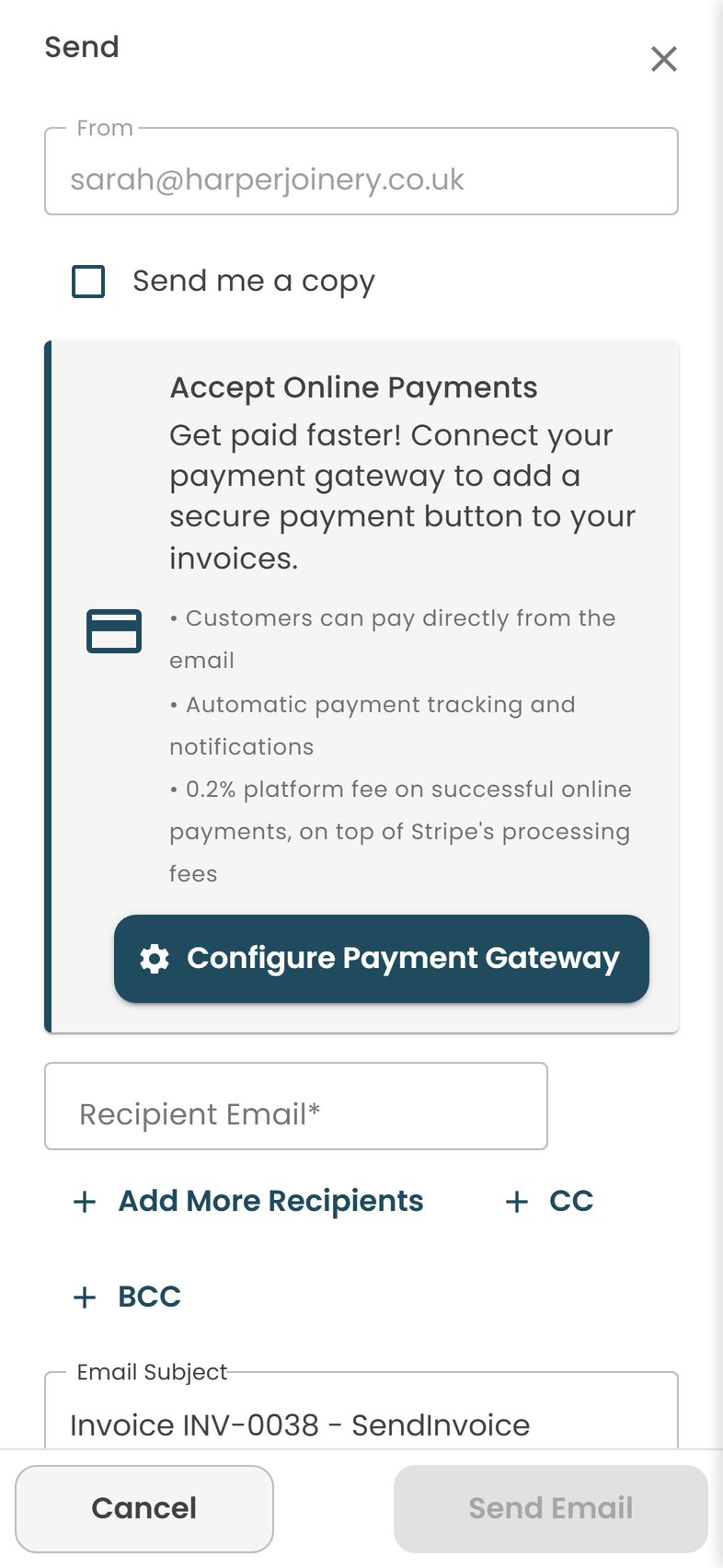
Sending by email, the Pay button, reminders, Paid/Unpaid tracking, My Documents and My Customers, saved items and premium templates are on the Professional plan at £5 a month, cancel any time. Card payments carry a 0.2% platform fee on successful online payments plus Stripe's own fee: £2.40 on a £1,200 invoice. If a client pays by bank transfer there is no fee at all; you just mark it paid.
For comparison, at the time of writing PayPal invoicing takes 2.9% plus a fixed fee per payment and Wave Pro is around $16 a month. On Tom's typical £4,000 month, a flat £5 plus Stripe's fee is the cheaper deal by some distance. What SendInvoice will not do for you is bookkeeping, bank feeds or your tax return. It is an invoicing tool, and it stays in its lane.
Do this in SendInvoice
Build an invoice that looks like it came from your studio, send it in your client's currency and language, and let them pay by card from the email.
Create a free invoice See the £5/month planFrequently asked questions
Can I invoice a client in euros while my default is pounds?
Yes. Set your default currency in Settings and change the currency on any individual document. SendInvoice supports 150+ currencies, and My Documents can be filtered by currency so you can see your euro invoices separately.
Can the invoice be in the client's language?
SendInvoice has 10 interface languages: English (UK and US), Welsh, German, Spanish, French, Italian, Dutch, Polish and Portuguese. Switch language before you create or send a document and the labels follow. Your line descriptions are whatever you type.
Do I charge VAT to EU clients?
If you are not VAT registered, you must not charge or show VAT to anyone. If you are registered, business-to-business services to EU clients are often outside the scope of UK VAT under the place-of-supply rules, but this depends on what you sell and to whom. Check with your accountant or HMRC before you decide.
How do I take a deposit before starting work?
Send a proforma invoice for the deposit with the Pay button. When the project is done, create the final invoice. Both appear in My Documents and you can see at a glance which has been paid.
Can I add my signature and a different logo for a side project?
Yes. Upload a logo or pick one from the library, and add a signature by drawing, uploading or typing it. You can change both on a document before sending.
Is there a fee on card payments?
Yes: a 0.2% platform fee on successful online payments plus Stripe's own fee. On a £1,200 invoice the platform fee is £2.40. Bank transfers carry no fee; you mark those paid by hand.