The job is done. The borders are edged, the lawn is cut, the customer said "that looks lovely" and went inside. Now comes the bit nobody warned you about when you went self-employed: asking for the money. This guide walks you through your first invoice slowly, so the asking feels less like a favour and more like what it is, which is the normal end of a job well done.
The awkward part, named
Almost every sole trader remembers their first invoice. Not the amount, the feeling: hovering over "send", rereading it four times, wondering whether £320 was too much or too little, whether to add "no rush" (do not add "no rush").
Here is the thing that helps. An invoice is not a request for a favour. It is a document that says what you did and what was agreed. The customer expects it. If anything, a prompt, tidy invoice makes you look more professional than the job alone did. So let us make it tidy.
What to put on it
UK law keeps the list short for sole traders. Your invoice needs:
- The word "Invoice" at the top.
- A unique number. Start at INV-0001. The next one is INV-0002. That is the whole system.
- Your name and address. If you trade under a name, both: "Jo Patel trading as Patel Garden Care, 8 Elm Close, Shrewsbury, SY3 7AB". Add your email and mobile.
- The customer's name and address.
- The date.
- What you did, in words a stranger could follow. "Autumn garden tidy: hedge cut, borders cleared and mulched, lawn cut and edged, green waste removed" rather than "gardening".
- The amounts per line and the total due.
- How and when to pay. A due date, your bank details, and a card link if you have one.
That is it. No company number, because you are not a company. No VAT number, because you are not VAT registered (more on that in a moment). If you want the full detail, including what changes for limited companies and VAT-registered businesses, read how to write an invoice in the UK.
A small example
| Description | Qty | Price | Amount |
|---|---|---|---|
| Autumn garden tidy: hedges, borders, lawn, waste removed | 1 | £260.00 | £260.00 |
| Bulbs supplied and planted (tulip and daffodil, 60 mixed) | 1 | £60.00 | £60.00 |
| Total due | £320.00 | ||
Terms: Payment due within 7 days. Bank transfer to J Patel, sort code 04-00-04, account 12345678, reference INV-0001, or pay by card using the link in this email. Thank you.
No VAT line. No "plus VAT". The total is the total.
What not to do
A few habits that creep in on first invoices and are hard to shake later.
- Do not add VAT unless you are registered. You only register for VAT once your turnover passes the threshold (£90,000 in any rolling 12 months, at the time of writing) or you choose to register voluntarily. Until then, VAT does not appear anywhere on your invoice. Charging it when unregistered is an offence, not a rounding error. We have a dedicated post on invoicing when you are not VAT registered.
- Do not give 60 days by default. Big companies ask for long terms because they can. You are a one-person business with a van to fuel. 7 or 14 days is normal; for domestic customers "due on receipt" is perfectly polite. If you write nothing, the law assumes 30 days for business customers, which is a long time to wait for money you have already earned.
- Do not apologise in the invoice. "Sorry to send this" and "whenever you get a chance" teach the customer that paying you is optional. Say thank you, state the date, done.
- Do not leave the payment details off. If the customer has to email you to ask for your sort code, you have added a week.
- Do not reuse or skip numbers. If you mess one up, issue a credit note and a fresh invoice. Your sequence stays clean and HMRC never has to ask about the gap.
- Do not wait until Sunday night to do the week's invoices. More on this below, because it is the single biggest thing that changes how fast you get paid.
Set your payment terms once
You do not want to decide your terms afresh every time, in the van, with the customer's dog watching. Decide now and write them down somewhere your invoices pull from automatically.
A good set of starting terms for a sole trader:
- Due date: 7 days for domestic customers, 14 for businesses.
- How to pay: bank transfer (account name, sort code, account number, and "please use the invoice number as the reference") plus a card link.
- For business customers: one calm sentence noting that late payments may attract statutory interest and compensation under the Late Payment of Commercial Debts (Interest) Act 1998. That is 8% plus the Bank of England base rate, and a fixed £40 on debts under £1,000 (at the time of writing). You will rarely use it; having it there changes how your invoice is treated.
- A thank you. It costs nothing.
In SendInvoice, you type your business details, bank details and default terms into Settings once. Every invoice after that fills them in for you, and your numbering runs on from INV-0001 without you touching it. The first invoice takes ten minutes. The second takes two.
Send it the same day, from your phone
Here is the quiet truth about getting paid: the gap between finishing the work and sending the invoice is the gap you control, and most people waste it.
The job finishes at 3pm on a Tuesday. If you invoice on Sunday night, the customer sees it Monday morning, the memory of you has faded a little, and the 7 days now ends the Monday after that. If you invoice from the driveway at 3.10pm, they see it while they are still admiring the hedge. Which invoice do you think gets paid first?
So send it before you drive off. On a phone, that looks like: open the app, tap New, pick Invoice, type the customer's name (if you have invoiced them before, it suggests them as you type), add two or three lines, check the total, tap Send. The email goes out with your business name on it, the PDF attached and a Pay button at the top.
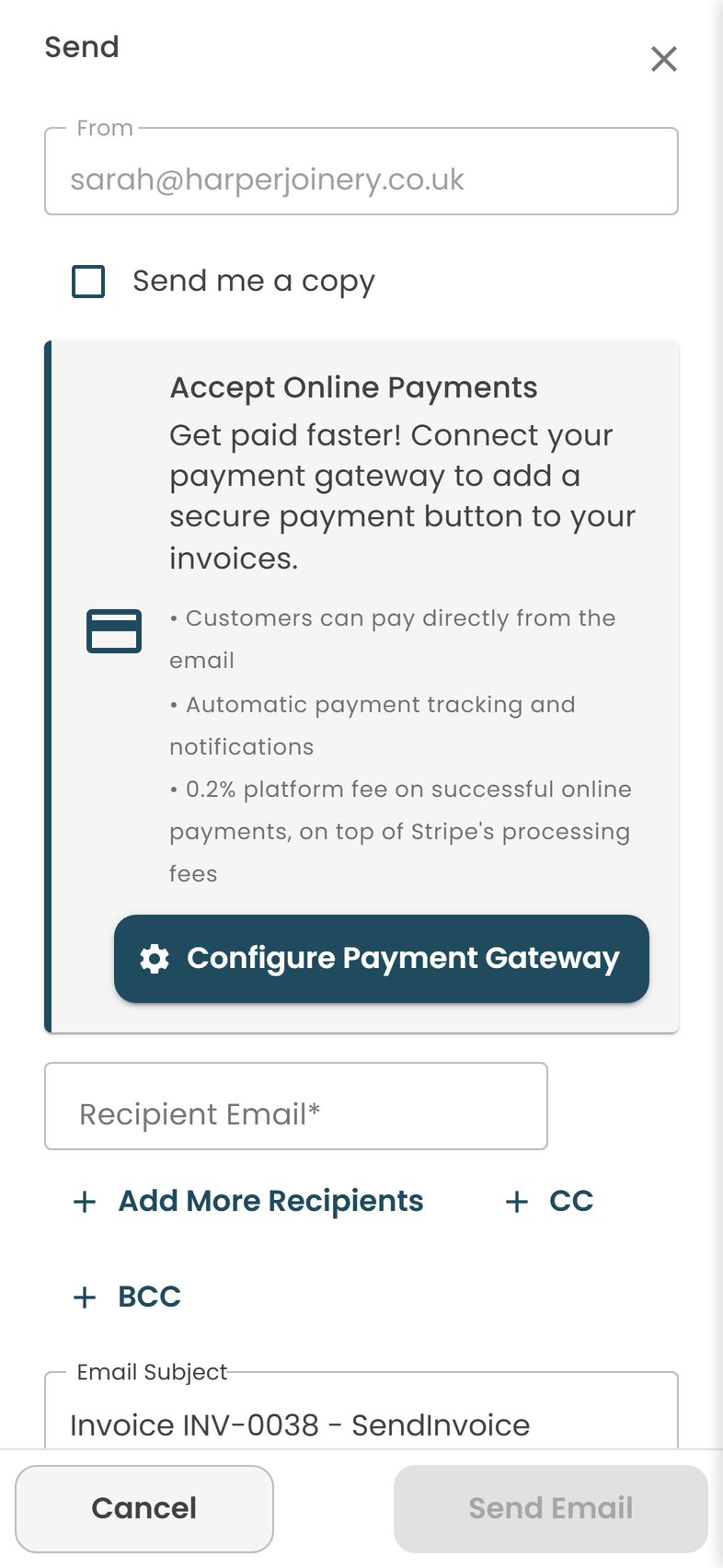
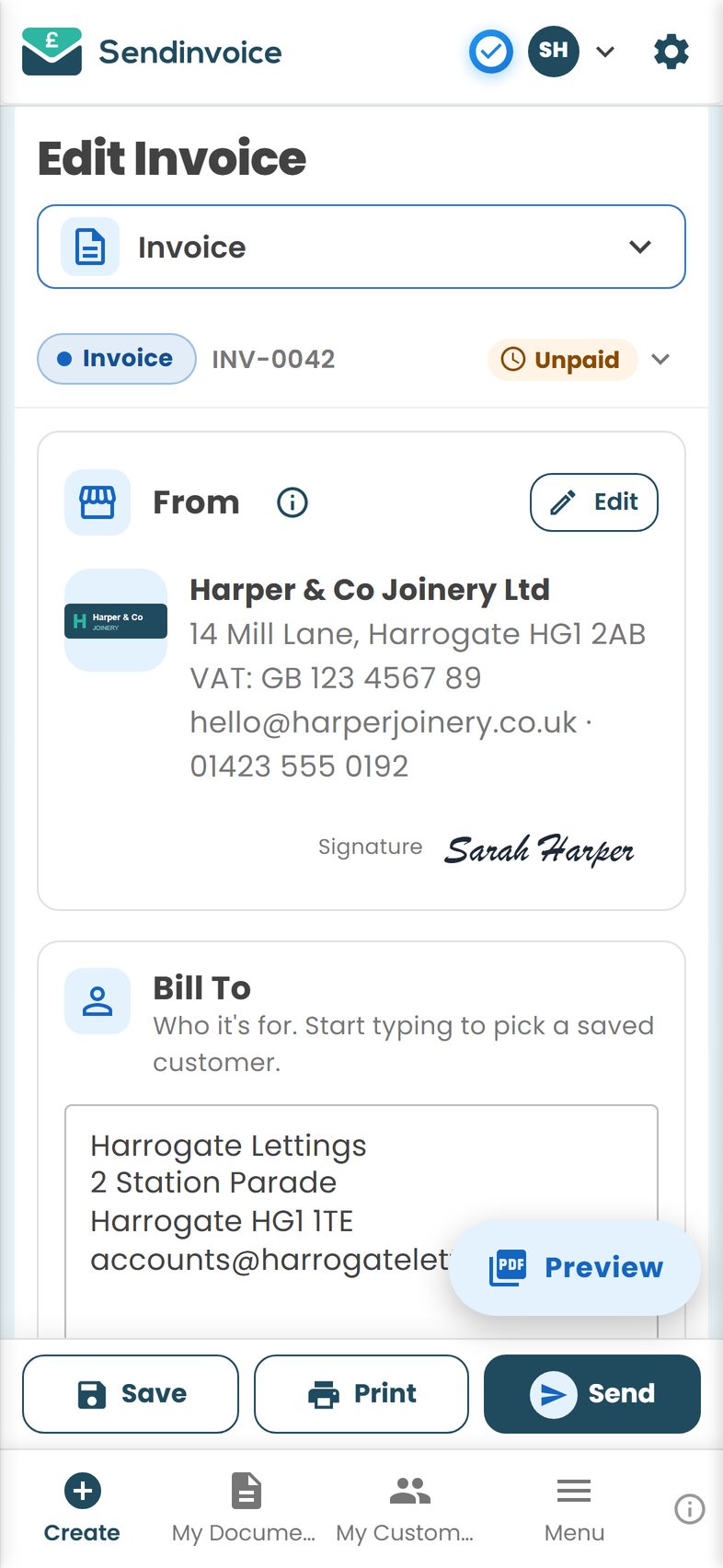
Your From details, logo and bank details are already filled in, so you only type what is different about this job. And the card link means a domestic customer can pay while they are still standing in the kitchen with their phone, and a surprising number do.
What happens when they pay
This is the part that makes the dread worth it.
If they pay by card through the link, the invoice flips to Paid on its own. You get a notification; a green tick appears beside it in My Documents; there is nothing to reconcile. If they pay by bank transfer, you will see it land in your account and mark the invoice paid with one tap. Either way, the next time you open the list you can see at a glance who has paid, who has not, and who is overdue, which is the beginning of a cash-flow habit that will serve you for years.
And if they do not pay by the due date? The app sends a friendly reminder, then a firmer one. Most late payments are forgetfulness, not refusal, and a nudge sorts it. You do not have to compose the awkward email yourself.
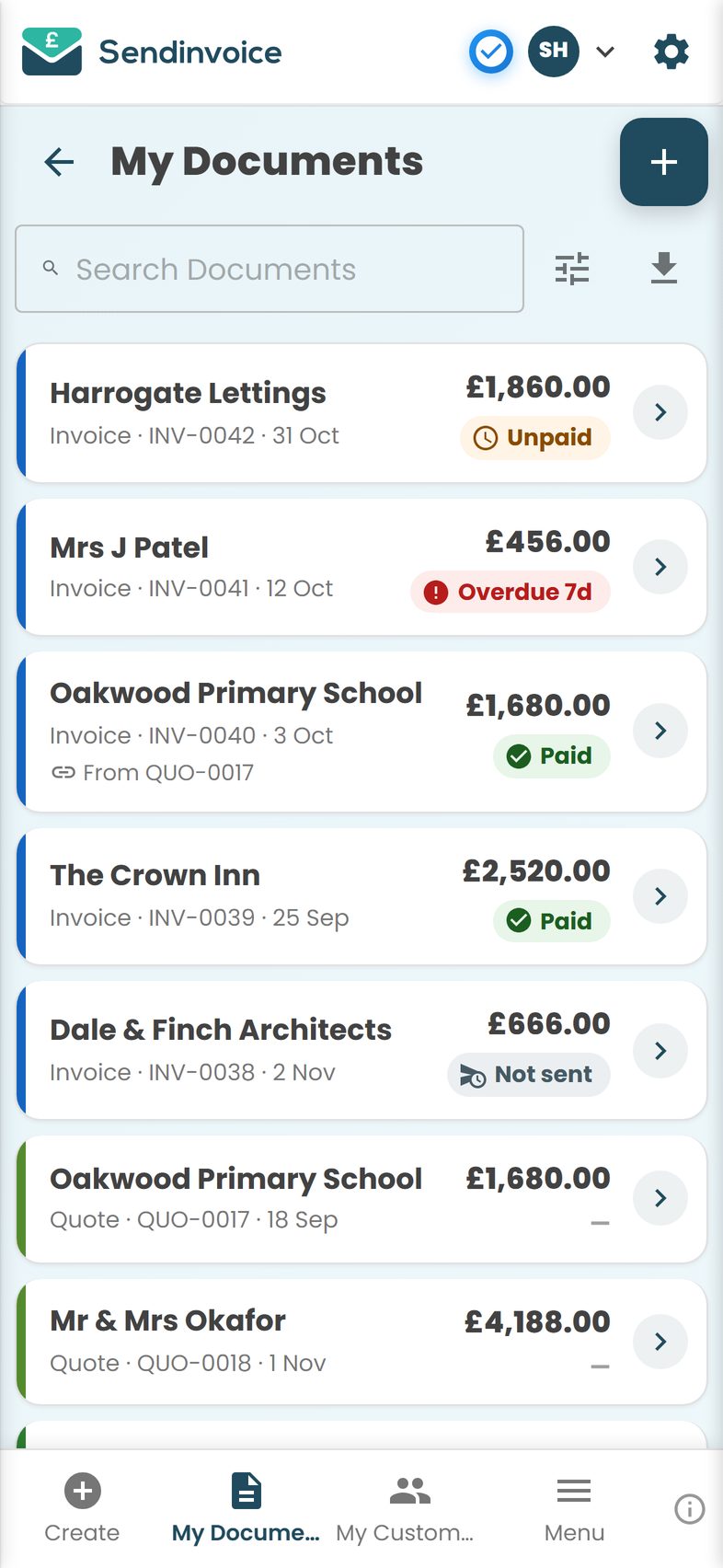
And once a customer has paid you once, their details are saved for next time, and if they want a receipt you can create one from the invoice in a tap.
Keep a copy, every time
HMRC can ask to see your invoices, so keep them all for at least 5 to 6 years. A PDF stored in your invoicing app is fine; you do not need a filing cabinet. At the end of the tax year, exporting the list to a spreadsheet gives your Self Assessment (or your accountant) most of what it needs. If your income grows past £50,000, Making Tax Digital for Income Tax applies from April 2026 (at the time of writing), and having every invoice already digital is most of the preparation. Check the current rules with your accountant or HMRC when you get there.
Your first-invoice checklist
- Says "Invoice" and is numbered INV-0001
- Your name, trading name, address, email, phone
- Customer's name and address
- Dated today
- Plain-English description, one line per thing
- Amounts and a clear total; no VAT unless registered
- Due date (7 or 14 days), bank details, card link
- One line of thanks, no apology
- Sent the same day, from wherever you are
- Copy saved
Ten ticks. Then put the phone in your pocket, and let the next job be the thing you think about.
Do this in SendInvoice
Set up your details, bank details and payment terms once, then create and send your first invoice from your phone in a few minutes, with a Pay button in the email and Paid / Unpaid tracking from day one.
Create a free invoice See the £5/month planFrequently asked questions
Do I need a business bank account to invoice as a sole trader?
No. You can be paid into a personal account. Many sole traders open a separate account anyway, simply to keep business money apart from the weekly shop. If you take card payments through your invoicing app, the money is paid out to whichever account you connect.
Should I put my UTR on my invoice?
You do not need to. Your Unique Taxpayer Reference is for HMRC, not customers. Some sole traders add it to look established; it is harmless but not required, and there is no need to share it widely.
Can a sole trader invoice without a company name?
Yes. Your own name is fine: "Jo Patel" is a perfectly valid business name. If you trade under a name, show both, for example "Jo Patel trading as Patel Garden Care".
Do I charge VAT as a new sole trader?
Only if you are VAT registered, and most people starting out are not. Until your turnover reaches the registration threshold (£90,000 in a rolling 12 months at the time of writing) you must not charge VAT or show it on invoices.
What payment terms should a sole trader use?
Shorter than you think. 7 or 14 days is normal for one-person businesses, and "due on receipt" is fine for domestic customers. If you say nothing, the law assumes 30 days for business customers, which is a long time to wait for money you have already earned.
What if my first customer does not pay?
Send a friendly reminder on the day after the due date, a firmer one a week later, then a phone call. Business customers can be charged statutory interest and a fixed fee under the Late Payment of Commercial Debts (Interest) Act 1998. Most late payments are forgetfulness, not refusal.
Do I need to keep a copy of every invoice?
Yes. Keep every invoice you send for at least 5 to 6 years, as HMRC can ask to see them. A PDF saved in your invoicing app counts.